Aaron Uyehara
Case study
Instructure · Bridge

Making complex curriculum simple to build.

Program authoring is how trainers build a curriculum in Bridge. It had grown rigid and confusing — and customers were threatening to leave over it. I led the redesign that made authoring simple and flexible, and it retained 100% of the at-risk customers up for renewal.

Company
InstructureBridge · LMS
Role
Product DesignerLed the feature
Year
2015Multi-quarter effort
Partner
Todd EricksonSenior Product Manager
100%
Of at-risk customers retained after the redesign
Dual-path
One system serving both authors and learners
Evidence-led
Tested with the exact at-risk customers before shipping
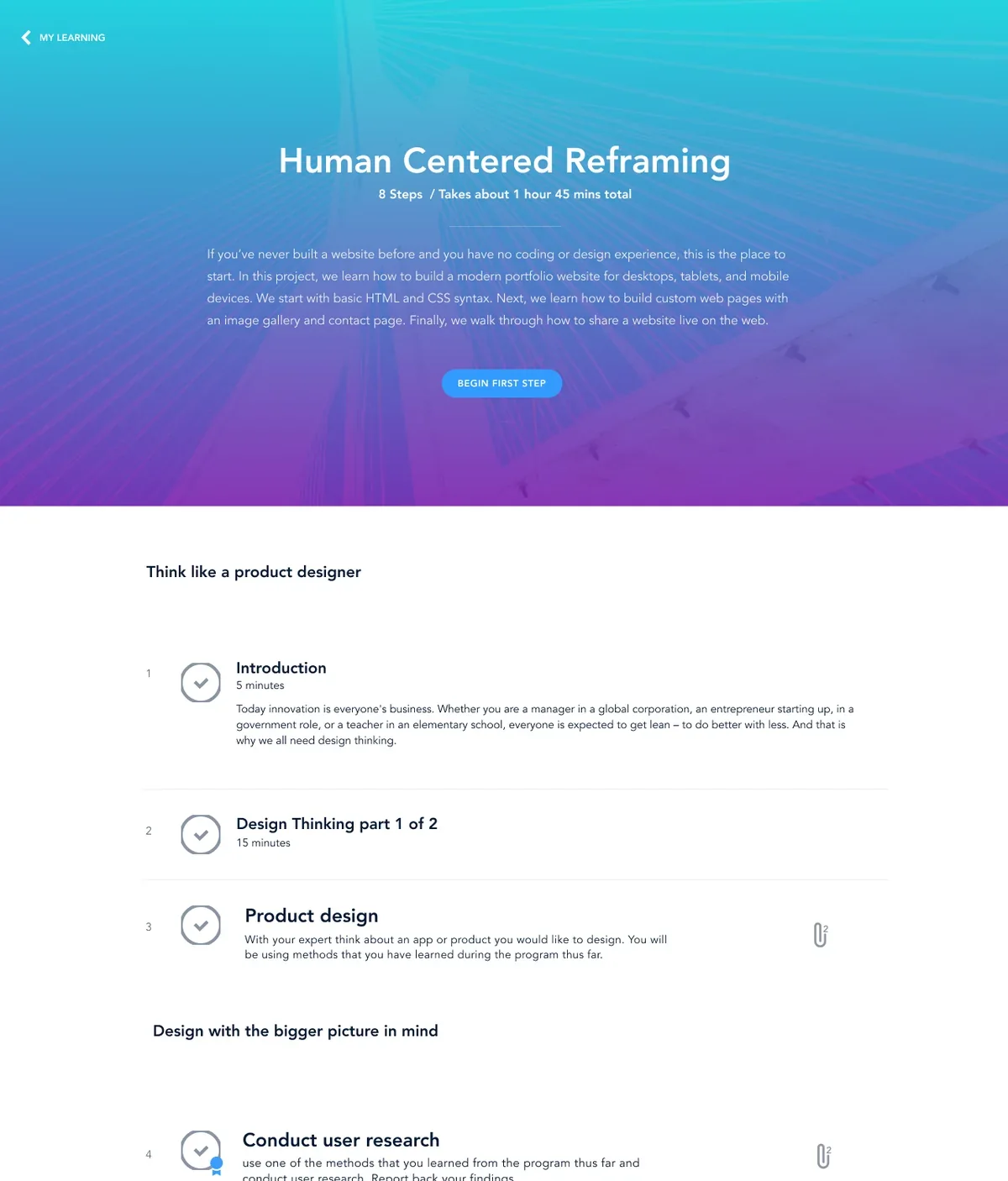
Bridge — learner view of a program
Learner — a program path that shows what's next, and why it matters
The introduction

A young LMS, outgrowing its first idea.

In 2015, Bridge was a young and raw newcomer to the corporate training scene.

Its MVP had a simple way to create courses and live training, plus a feeble attempt to chunk learning content into a bucket Bridge called a program. After interviews with existing and potential customers, we discovered real problems that needed to be addressed. I was tasked to lead this feature work alongside my product manager counterpart.

The problem to solve

No flexible way to build — and no clarity for learners.

Authors and training managers needed a way to easily create a curriculum in the Bridge LMS. There wasn't a robust or flexible way to organize content and learning objects. Some existing problems with programs:

01

Everything was locked in order

All learning activities had to be taken in strict sequence. There was no way for an author to visually organize or shape a program.

02

Learners had no context

There was no way for a learner to know why they needed to complete a program, what was up next, or what they needed to do.

How might we?

How might we help training managers and instructional designers create robust, flexible learning experiences — so employees gain the skills, knowledge, and confidence to grow in their careers?

The process

Teamwork makes the dream work.

I knew that to succeed we'd need a process that let us deeply understand the user's needs, validate, and iterate. I collaborated closely with my product manager, Todd Erickson, and together we brainstormed and whiteboarded through several possible solutions.

To kick things off, the product and UX team gathered for an iterative design session. We laid out the core problems in the existing tool, then each designer sketched or wrote as many ideas as possible within a set time. Coming back together, we explored each concept one by one — finding connections and looking for ways they could solve the problem. We identified three main points of view.

Who we solved for
POV 1

The Learning Administrator

Needs to curate programs focused on specific goals tied to a company or team's business objectives. For them, the heart of a training program is learning outcomes.

POV 2

The employee

Needs to understand and buy into the program's outcomes so they know how it helps them reach their professional goals — and to track their progress once they enroll. They have other responsibilities, and want to invest their time in something worthwhile.

POV 3

The new hire

Needs mentorship from managers and peers as they move through a program. Their learning is enhanced by reliable on-the-job experience, feedback, and information.

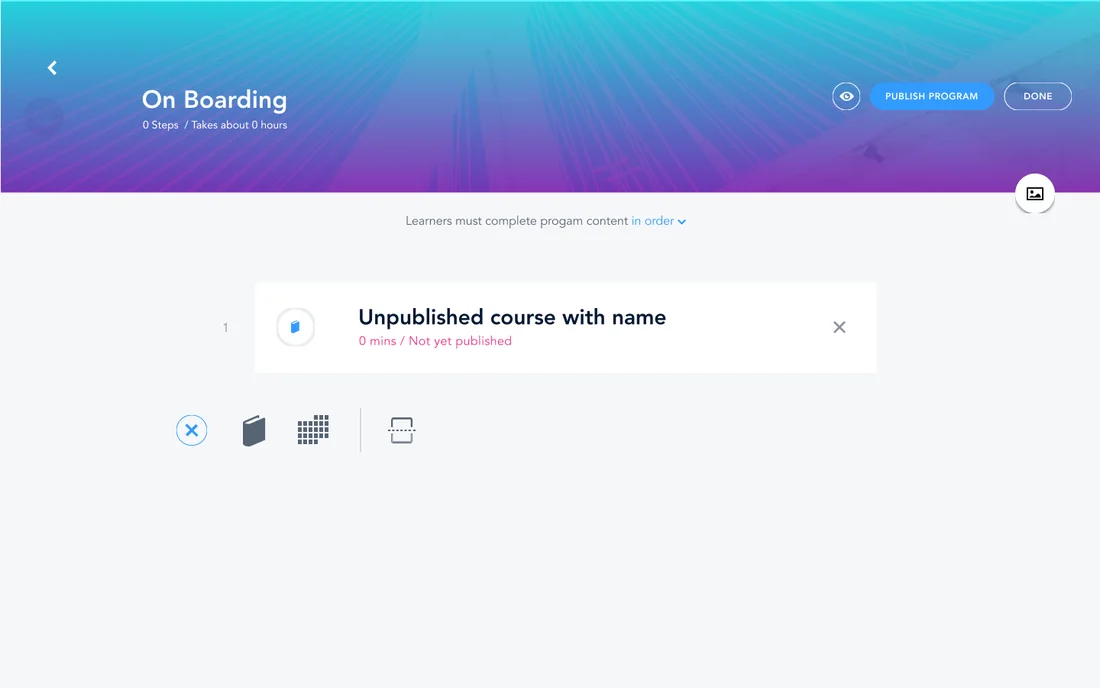
Bridge — program authoring editor
Author — building a program, course by course
Initial designs

Two experiences, one program.

From our early interviews and brainstorms, we knew what each side needed. I mapped user flows across multiple points of view to understand how everything worked together in the app.

Author experience

  • An authoring tool that was simple and easy to use
  • Flexible, but still powerful
  • A way to organize content into sections without rigid rules

Learner experience

  • Flexible, easy to understand, and non-obtrusive
  • Clear on what to learn, why, and what comes next
  • Training that doesn't fight the learner's real job
Feedback & testing

Getting feedback early and often.

Bridge was highly collaborative. We held weekly design reviews with both the design and product teams, which gave us outside perspective — sometimes being on a project long enough starts to introduce bias. Meeting with customers really helped us simplify what we were creating.

I built a robust prototype in Sketch and InVision to test our designs with users. We got mixed reviews, but everyone agreed on one thing: it needed to be simpler. The feedback on the authoring side was that it was too complex — and we had customers threaten not to renew their contracts. So we went back to the drawing board.

Validation

Simpler — and it kept the customers.

After simplifying the authoring and learning experience quite a bit, we landed on a solution that resonated with our users.

In fact, we were able to design, prototype, and test with every customer at risk of not renewing that September — and made them happy enough that we retained 100% of our existing customers while picking up some new ones.

Delivery

I believe a smooth handoff and tight collaboration with development is crucial to the success of every product. Knowing this was a very large feature, I wanted to be as prepared as possible. Once we had further validated the solution, I fleshed out every detail of the experience I could think of, reviewed the designs with our development team to get input on technical considerations, and put together a comprehensive set of specifications to accompany the mockups and clickable prototype. It's an approach I take regularly — it streamlines development and ensures a higher level of visual and interactive quality.

Final design solution

An immersive, dual-path experience.

The final design let the author create simple yet powerful learning paths, while the learner saw exactly what they needed to learn — and a path that would help them accomplish their goals.

Easy authoring & flexibility

  • Quickly create a program outline
  • Easily add learning objects

Easy preparation & organization

  • Add modules and create sections to break up content
  • Flexible, not restrictive

Responsive design

  • An intuitive, accessible learning experience
  • For users wherever they are

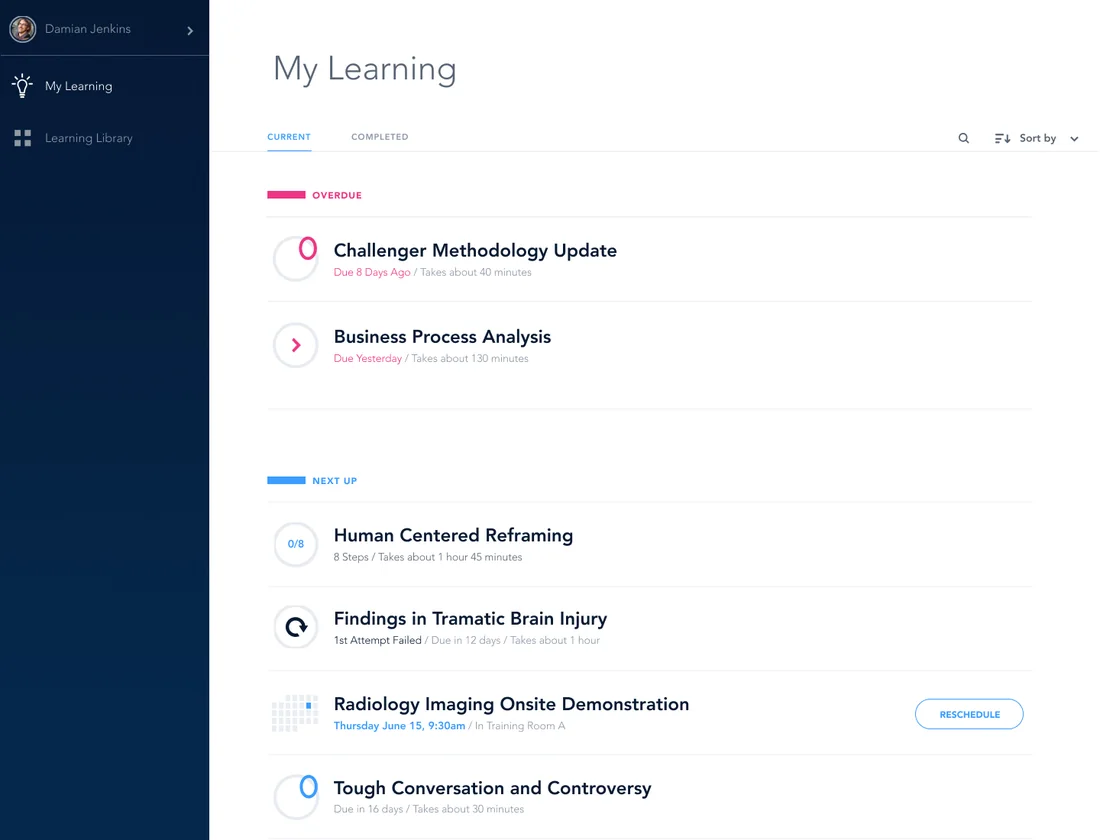
Non-disruptive learning

  • Training that's easy to pick up and put down
  • Helps users know what's on their plate — and get back to real work
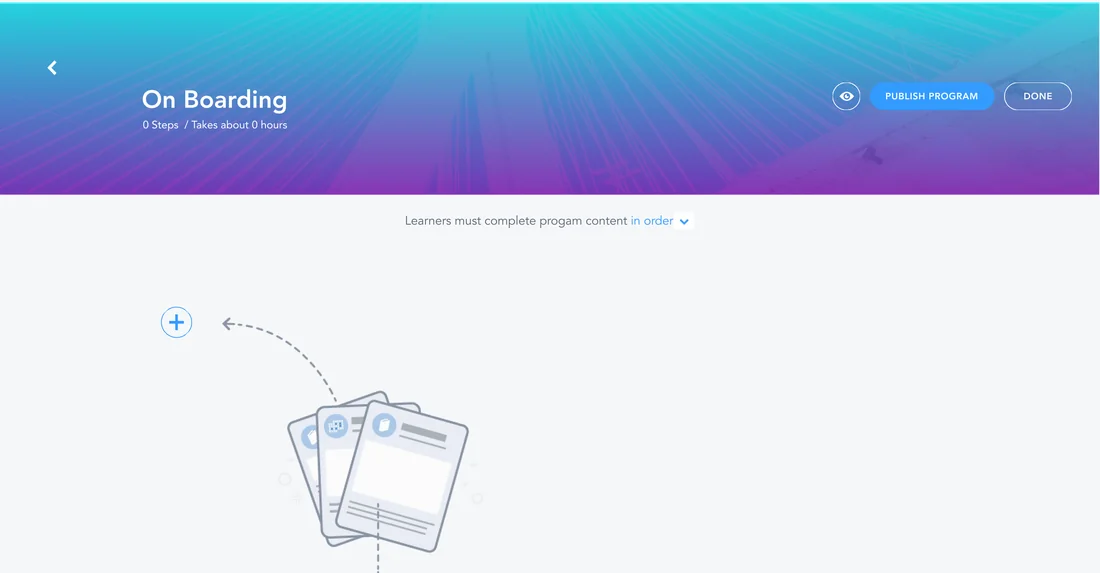
Bridge — program empty state
Author — the empty state that invites you to start a program

More of this — for your team?